How to Print Hello World in Python? [A Beginner’s Guide]
Learning how to print Hello World in Python is most commonly the first thing you learn when starting with Python. This program is immediately useful to teach learners how to understand displaying program output. Although this code is quite small, it introduces a fundamental concept used in nearly all Python programs. The principles in this example will help in understanding the other complex and advanced concepts of Python.
What Is the Hello World Program in Python?
The Hello World program in Python is a very simple and small program that shows how to display the text Hello World on the screen. This shows the simple computer program output in Python that helps the learner to verify that the language is correctly installed on their system. This example also shows the working of the output function in Python. The result of the program is an output on the display screen of the computer.
How to Print Hello World in Python Using print()
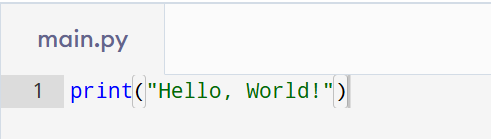
Python has many display functions, but the simplest way to code a display function is to use a built-in function, print().
Code Example:
print("Hello, World!")
Output:
Hello, World!
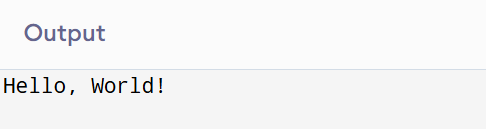
In this example, it displays and ensures that the output obtained will be exactly as it will be when the program is executed.
Understanding the print() Function
This guides you on how to print Hello World in Python with print(). The print() function in Python prints one or many outputs. It displays the output through characters, numbers, calculations, results, etc. In the ‘Hello World’ program, it displays the characters in quotations. Since it is simple, print() is typically the first function that beginners learn in Python.
How to Print Hello World in Python Using a Function
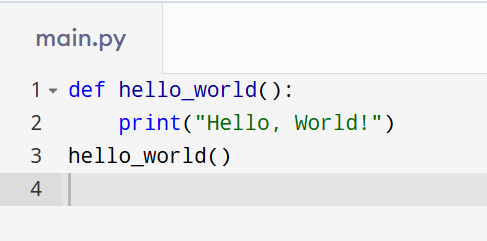
Let’s see how to print Hello World in Python with a user-defined function. A function allows code to be encapsulated and executed multiple times. The sample code below has a function that prints ‘Hello World!’ This is how to execute the ‘Hello World’ program in Python with a user-defined function.
Code Example:
def hello_world():
print("Hello, World!")
hello_world()
Output:
Hello, World!
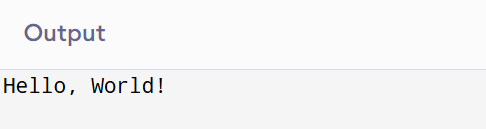
In this example, you will learn how to perform a Hello World Program in Python with the help of a user-defined or custom function.
Understanding How It Works
In the first example, the print() function is used to display the text on the screen. In the second example, the Hello World program in Python is executed with a user-defined function. Both methods display the same output, and as a result, the print() function is preferred by beginners because it is simple and easy to understand. They can learn how the output works in the Python language by executing this program. When students learn more about Python, they can discover more ways to display outputs.
Common Mistakes Beginners Make
Some small mistakes occur when beginners write their Hello World program. Errors can take place when the program runs due to misplaced even small things, such as missing quotes, misplaced brackets, or spelling mistakes. Learning Python requires pre-code checks and careful review of mistakes to minimise or even avoid these problems.
Conclusion
Knowing how to print Hello World is like the first step of learning Python and coding in general. It is a first look at the output view as well as the first peek at the coding structure and syntax. This can also be done in many ways with various functions and methods, but it is the very first step towards programming with Python. It is the first step to learn the Python language and gives confidence for further learning programming.